The Complete AI / MCP Server Setup for 10x Faster Production Code
- mcp
- ai-tooling
- claude-code
- developer-workflow
- agentic-ai
Have you ever used AI and thought — this could "almost" replace me? Me too, buddy!
AI is honestly forcing every developer to make a choice: get scared about losing your job, or weaponize it to become 10x faster, 10x more productive, and ship better code than you ever thought possible.
If you're choosing the latter — if you want to turn AI into your unfair advantage — this is how I'm doing it.
Picking the right LLM: Cursor vs Codex vs Claude Code vs Gemini
Choosing the right LLM for your use case isn't optional anymore — it's strategic. I've worked extensively across the major models, and here's what I've learned about when to use what.
- ChatGPT (GPT-4 Turbo & o1). I use the free model and o1 for specific tasks. o1 is built for research and deep thinking. If you're tackling complex problems that require patience and multi-step reasoning — architectural decisions, debugging gnarly edge cases, refactoring legacy systems — o1 is the move. It's slower, but it thinks harder.
- Claude Opus 4.6. This is my primary coding workhorse, especially through Claude Code. Opus has seen significant quality improvements compared to older models. It's not the fastest, but it's accurate. When I need code that works the first time, that understands context deeply, and that handles complex refactoring without losing the thread — Opus delivers.
- Cursor's Composer. One of the fastest-responding models I've used. Great for quick iterations and rapid prototyping. The trade-off? It tends to lose context window faster than Opus. Use it when speed matters more than maintaining a long conversation history.
- Gemini. This is the best for any sort of image generation. Gemini is also great at building tech docs.
Should you pay for a plan?
Yes. It's not optional anymore.
If you don't invest in a paid plan, the people who do will move ahead of you. Simple as that. The difference between hobbyist-tier rate limits and professional-grade access is the difference between shipping fast and getting bottlenecked every hour.
Prompt engineering for production code
This is the playbook I use for getting a head start on any project I work on.
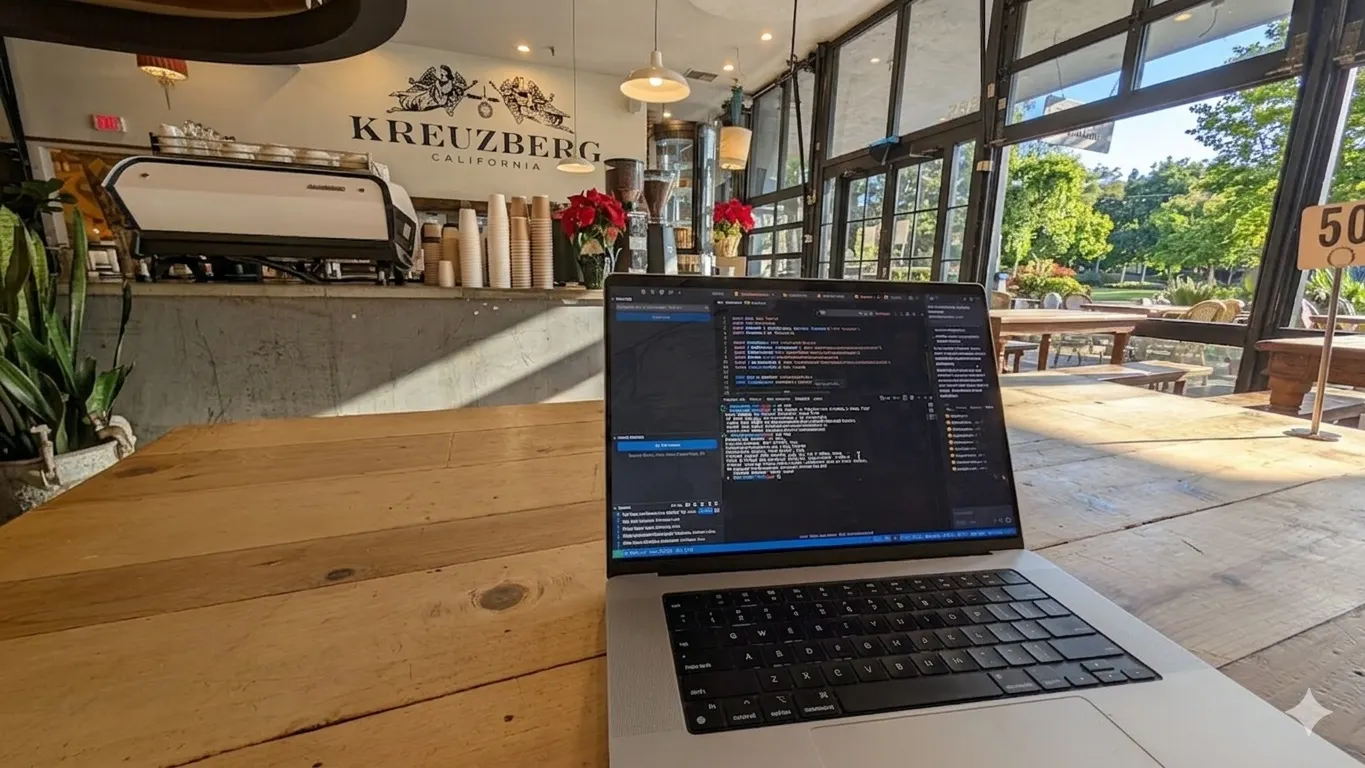
Step 1: Create a technical spec — don't jump straight into code
I do not start coding right away. I want the model to get complete clarity on what we're building first.
Gemini is my go-to for creating technical specs. I use dictation to speak through my ideas and technically document them — usually in plain text files. I jot down:
- Requirements and expectations
- Dependencies
- Technical stack
- Engineering requirements (scalability, performance, security)
Once this document is made, I reiterate on every point until it's elaborated and clear. I make sure I have a crystal-clear picture — not just in my mind, but in the document — before I get started.
Why? Because this document becomes the source of truth for everything the AI creates from here on out.
A sample prompt could look like this:
I want to build a [type of application] using [tech stack].
Core functionality:
- [Feature 1]
- [Feature 2]
- [Feature 3]

Generate a detailed technical specification that includes:
1. System architecture overview
2. Database schema design
3. API endpoint structure
4. Frontend component hierarchy
5. Authentication & authorization flow
6. Deployment strategy
7. Scalability considerations
8. Security requirements

Be specific about folder structure, naming conventions, and design patterns.
Next, I'd iteratively refine this documentation by asking Gemini to add side notes to every instance — and I'd keep repeating this till I have achieved an "idea to paper" situation, or till I have my mental picture in the notes.
For each point I would want the LLM to precisely identify and note possible edge case scenarios, scalability issues, bottlenecks, security evals, and real-world usability.
What are MCP servers, and why they matter
Let's talk about MCP (Model Context Protocol) — the thing that turns LLMs from text predictors into actual agents that do work.
MCP is a plug-and-play protocol that connects LLMs to tools, databases, APIs, and services. It has two parts:
- MCP Server — Exposes tools and data sources (Figma files, GitHub repos, databases, deployment platforms).
- MCP Client — The LLM interface (Claude, Cursor, your custom agent) that calls those tools.
Think of it like USB-C for AI. The server says "here's what I can do," the client says "do this thing," and they talk through a standardized protocol.
Why do we need this instead of just prompting?
Because prompting is fundamentally just text prediction. When you prompt an LLM, you're asking it to generate the next likely token based on patterns it learned during training. It doesn't do anything — it just predicts what text should come next.
MCP changes that. With MCP servers, the LLM becomes an agent — it can:
- Read your Figma designs and generate matching code
- Deploy to Vercel with a single command
- Query your production database
- Create GitHub issues, send emails, update Notion docs
It's the difference between asking someone to describe how to fix your car versus handing them the wrench and letting them do it.
Design to production in four phases
Here's my complete workflow.
Phase 1: Design → Spec
- Designer updates Figma → MCP auto-generates technical spec with TypeScript interfaces and component hierarchy.
- You review and refine, Claude suggests state management patterns and API integrations.
- Technical spec becomes the source of truth for everything that follows.
Phase 2: Spec → Code
- Claude Code generates React components with TypeScript, Tailwind styling, Storybook stories, and unit tests — all matched to Figma design tokens.
- Subagents handle specialized tasks: Design System, API Integration, Testing, and Documentation — each committing to its own git subtree.
- Clean, atomic commits with semantic messages orchestrated by Claude.
Phase 3: Code → Deploy
- GitHub MCP creates a PR with auto-generated description, screenshots, test coverage, and performance metrics.
- Vercel MCP deploys a preview with automated checks (TypeScript, ESLint, Vitest, Playwright, Lighthouse).
- On approval → auto-merge to main → production deployment with a full CI/CD pipeline.
Phase 4: Monitor → Fix
- Sentry and DataDog MCPs monitor production for errors and performance issues.
- Errors trigger automated GitHub issues with stack traces, affected users, and suggested fixes.
- Claude creates hotfix branches, applies fixes with regression tests, and fast-tracks critical deployments.
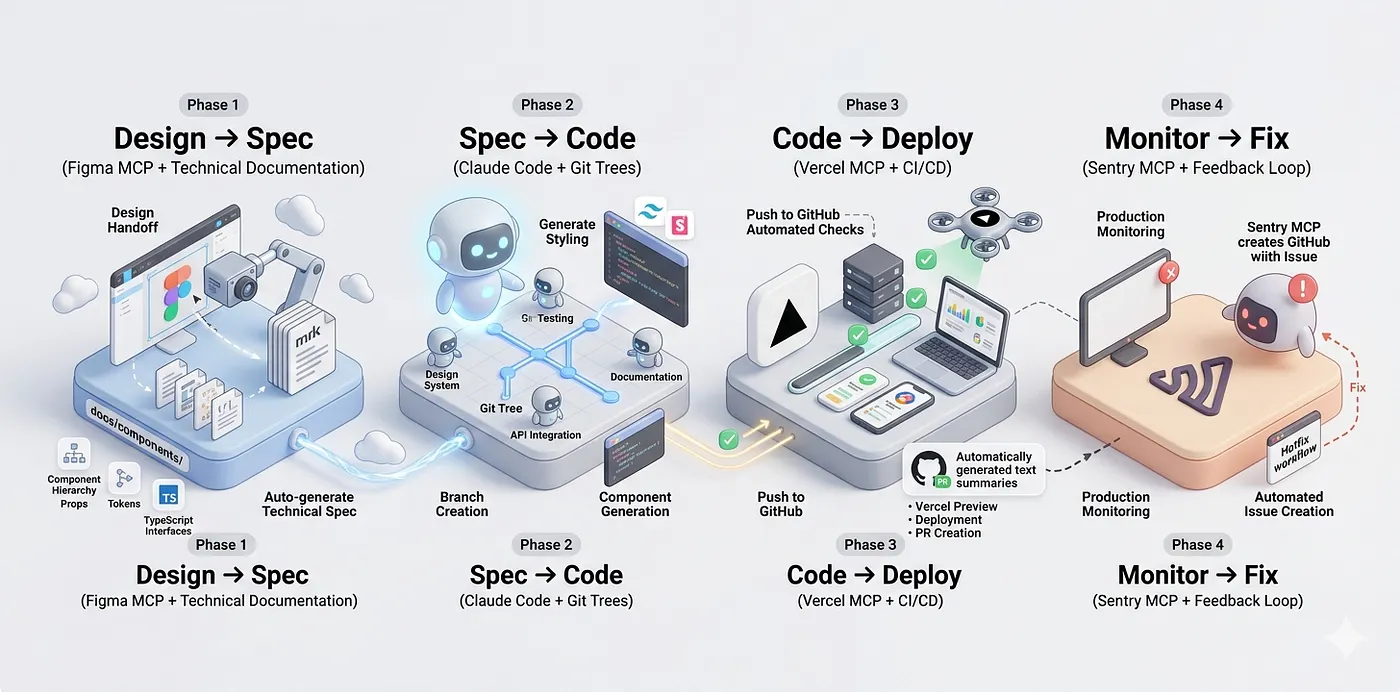
This is the workflow. From Figma file to production code — automated, tested, deployed, and monitored — with you steering the strategy, not fighting the tooling.