Hosting My Full-Stack Next.js App on Vercel + Render
- nextjs
- deployment
- vercel
- render
- cors
When I started building this full-stack app, everything lived on my machine. The frontend, the backend, the database — all local. Even the authentication, which I'd set up using SuperTokens, was pointing to a local backend instance.
Every change I made, every feature I tested, every bug I fixed — all of it was happening in a cozy little bubble on my laptop. Debugging was easy. Testing was easier.
And honestly? It felt great. Everything worked. I felt like I had it figured out.

Then came the moment I decided to actually host it.
I won't lie — I was scared. I've always been a frontend developer. Servers, cloud infrastructure, deployment pipelines — that was always someone else's problem. I knew how to build things. I just never had to worry about where they lived.
But here's the thing nobody tells you upfront: AI won't do this part for you. You can ask ChatGPT, you can ask Claude, you can read every tutorial on the internet — and none of it fully prepares you for the actual manual, step-by-step grind of moving a real full-stack app to the cloud.
So last weekend, I decided to just sit through it and get it done.
The architecture — what I was actually deploying
Let me give you a quick picture of what I was working with.
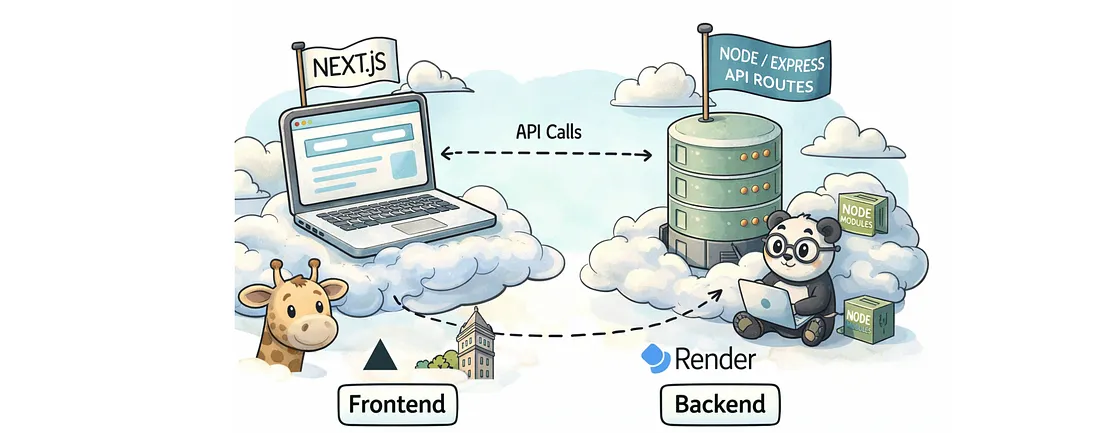
A Next.js app, fully client side rendered for now, no SSR yet, that comes later as the project grows. A Node/Express backend with a bunch of API routes. And SuperTokens handling authentication, which was pointing to the backend.
For hosting, I went with Vercel for the frontend and Render for the backend. Both have free tiers, and at this stage I'm not paying to host something that isn't making me money yet.
Simple enough split, right? Except here's what I didn't fully think through.
These two aren't independent. They're deeply interdependent. Which means I couldn't just deploy one and figure out the other later. I had to configure both platforms side by side, in sync, at the same time.
Fix the CORS errors before anything else
Before every API call your frontend makes, a preflight request goes out first. You can see it in your network tab. It checks if the server allows the request, and only then does your actual fetch go through.
When CORS fails, your frontend screams. Your backend doesn't even flinch.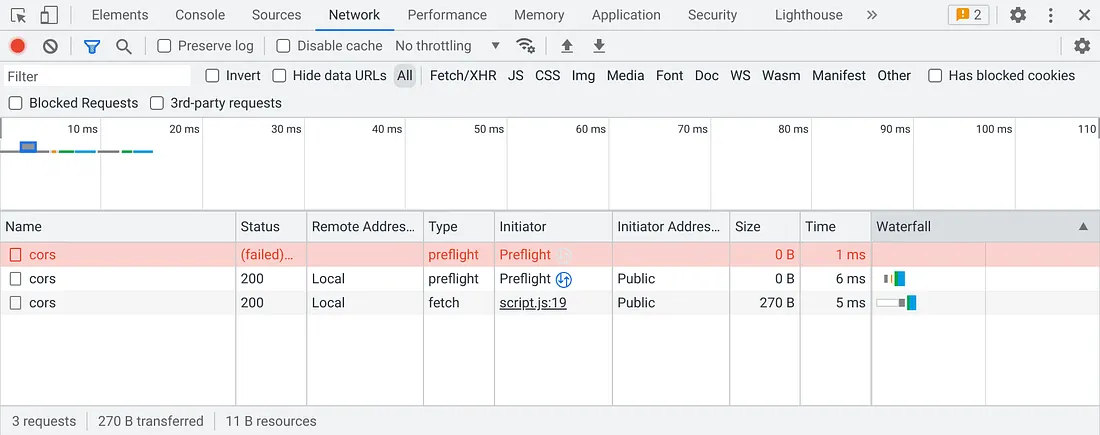
A few reasons it'll fail on you:
- Wrong origin. Your production URL is not localhost. The origin you're whitelisting needs to exactly match what's hitting it in prod, trailing slash and all.
- Missing env var. Your env variable storing the allowed origin isn't set on Render yet, so your backend is allowing nothing.
- No preflight handling. You're not handling the
OPTIONSpreflight method in your Express config. - Wrong middleware order. You added CORS middleware but it's sitting below your routes. Order matters in Express.
Your .env file doesn't exist in production
During local development, we store all our secrets in a .env.local file. It never gets committed, it never leaves your machine. That's the whole point.
But the moment you deploy, that file is gone. The hosting platform has no idea it ever existed.
The way you deal with this is straightforward but manual. Every single hosting platform, whether it's Vercel, Render, or AWS, has its own place where you enter your environment variables directly. You go in, you add them one by one, and the platform makes them available to your app at runtime through process.env.
Now your code also needs to be set up correctly for this to work seamlessly across both environments — development and production:
import dotenv from "dotenv";
import path from "path";

if (process.env.NODE_ENV !== "production") {
  // In development, load from your local .env files
  const projectRoot = path.resolve(__dirname, "../..");
  dotenv.config({ path: path.join(projectRoot, ".env") });
  dotenv.config({ path: path.join(projectRoot, ".env.local"), override: true });
}

// In production, the hosting platform (Vercel/Render) injects these automatically
// Your code doesn't change. The source of process.env does.
export const API_URL = process.env.NEXT_PUBLIC_API_URL;
One more thing. In Next.js, any environment variable you need on the client side must be prefixed with NEXT_PUBLIC_. Without it, the variable exists on the server but is completely invisible to your frontend.
Cleaning up dependencies and package.json
Before you deploy, do this one thing. Delete your yarn.lock file and rebuild it locally from scratch.
rm yarn.lock
yarn install
yarn build
If the build breaks locally, it'll break in production. It's best to find that out locally first.
Once that's done, run an audit on your dependencies — npm audit. This is the fastest way to spot conflicts before they quietly blow up in prod.
- If you find issues, first try letting npm fix it automatically —
npm audit fix. - If that's not enough, use force. But read what it's about to change before you confirm. You can use
npm audit fix --dry-runto check what is going to change, if you want to play it safe. - If you are still seeing peer dependency conflicts, you may need to pin a specific version manually using
overridesin your package.json. This tells npm to use exactly that version regardless of what other packages are asking for. It's a last resort, but sometimes it's the only clean way through.
{
  "overrides": {
    "some-package": "1.2.3"
  }
}
Wrapping up and getting it live
Once you've sorted your dependencies and your build is clean locally, push everything to your main branch.
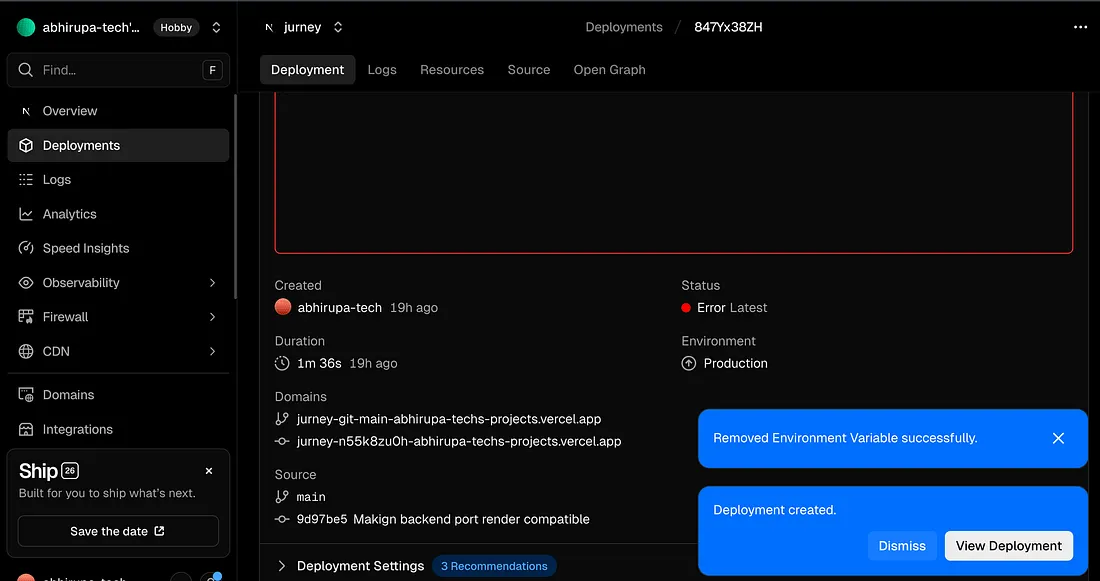
One thing worth knowing here. Vercel supports preview deployments out of the box. Every branch you push gets its own preview URL automatically. Render does not do this natively, but you can manually create a separate service pointing to a different branch if you want to test before touching production. Use the Vercel preview to get a sense of what you're shipping before it goes live.
Once you push, go into both Vercel and Render and set up your environment variables. And here's a mistake that's way more common than you'd think. Do not reference any localhost ports in your environment variables on these platforms. No localhost:8080, no 127.0.0.1, nothing local. Everything needs to point to the actual live URLs of your deployed services.
After that, there will be failures. That's not a maybe, that's a guarantee. Go into your deployment logs on both platforms, read them carefully, push the fixes, and redeploy. Rinse and repeat.
It's a lot of hidden trial and error until everything clicks. But when it does, it's worth it.